Humber Libraries and Study Spaces: 24/7 Rooms, Bookings and Idea Labs
Humber and the University of Guelph-Humber share one library system. Its main spaces are at North and Lakeshore, and some study areas stay open 24/7.
Sources checked September 29, 2026. View sources
Compare the library spaces
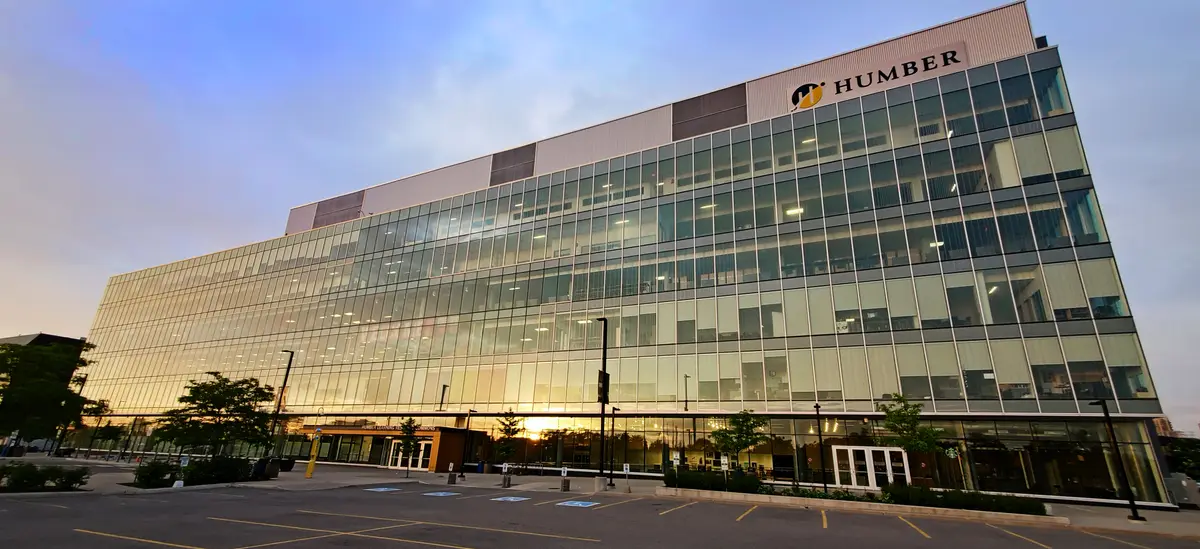
At North, everything sits in the Learning Resource Commons (LRC). The North Library is on the fourth floor and the North Learning Commons is on the third. Lakeshore has one Learning Commons, on the first floor of L Building on the east side of campus.
| Space | Where | What you'll find |
|---|---|---|
| North Library | LRC, 4th floor, North Campus | Research help, the Humber and Guelph-Humber collection, bookable group rooms, quiet study rooms, computers, printers, a children's area and the Humber Archives |
| North Learning Commons | LRC, 3rd floor, North Campus | Some study spaces open 24/7, bookable group rooms, quiet rooms, the Adaptive Technology Room, computers, printers and the North Idea Lab |
| Lakeshore Learning Commons | L Building, 1st floor (L1000), Lakeshore | Open 24/7, library support desk, bookable group rooms, computers, printers and book lending machines |
| Downtown (IGS) | 59 Hayden Street, 4th floor | A book lending machine and an audio Idea Lab; other books ship from North and Lakeshore |

Studying late or overnight
Some North Learning Commons study spaces are open 24/7 to Humber and Guelph-Humber students. The Lakeshore Learning Commons is open 24/7 to Humber and Guelph-Humber students, faculty and staff.
The Downtown building is open Monday to Friday, 7 a.m. to 10 p.m. Check the Library's hours page for current support desk hours before you plan around in-person help.
Booking a group study room
Current Humber and Guelph-Humber students can book rooms at the North Library, the North Learning Commons and the Lakeshore Learning Commons. Students get priority for these rooms.
- Book up to 7 days ahead, for 2 hours at a time.
- Sign in with your Humber username, for example n01234567@humber.ca.
- Keep the confirmation email in your Humber Outlook; staff may ask to see it.
- Arrive within 15 minutes or you may lose the room.
- North Library rooms and some North Learning Commons rooms have limited hours; leave at closing time. Other Learning Commons rooms are first come, first served outside support desk hours.
Idea Labs for media and making
Each campus has an Idea Lab for students, faculty and staff. North's is on the third floor of the Learning Commons, with a Cricut cutter and heat press, an audio studio and a video and photo studio. Lakeshore's is in H206, with laser and vinyl cutters, sewing and embroidery machines and an audio studio. Downtown's focuses on audio: podcasts, interviews, voice-overs and webinars.
Your account and what it costs
Humber IT activates student library accounts about 48 hours before your first day of classes. You sign in with the same Humber username you use for MyHumber and Blackboard. Guelph-Humber students have a separate Guelph-Humber library account as well.
The Library is free for students. You'll pay for printing through ONECard print credits, and fines still apply to overdue textbooks, faculty reserves, equipment and children's tablets. Textbooks can't be placed on hold, so everyone gets an equal chance at them.
Accessibility support
The Adaptive Technology Room, L3082 in the North Learning Commons, has 10 computers with Read and Write, Kurzweil 3000, JAWS and ZoomText, plus a Clearview+ magnifier. The LRC has accessible washrooms on every floor and height-adjustable print stations.
For alternate-format textbooks, contact the Student Wellness and Accessibility Centre at swac@humber.ca. For other books and articles, email library@humber.ca. Students with a perceptual disability can ask for access to the Accessible Content E-Portal.
Keep exploring
Sources and updates
This independent guide summarizes the official information linked below. Prices, dates, hours and access rules can change; check the relevant Humber page before making a decision.